Tuesday, February 12, 2013

Learning Creative Learning

Creative Learning - Week 1
Former student and learning pal Nick Smith found the Creative Learning course from the MIT media lab. It didn't take too long for me to shout "I'm in!" and join the par-tay.  The leader of the course is Mitch Resnick, one of the leaders of Scratch development.
I never did get around to writing my reflection of the nice Python course I took from Rice on Coursera in the fall. So when I saw Dave Ferguson's reflection on week 1, it  was the prompt I needed to try to be better about keeping record of this course.

Video - First seminar (youtube of a Google Hangout)
Media Lab model for
creative thinking spiral
  • overview of online component. Materials by email, idea of the weekly seminar (mostly panel discussions), Google+ for the course and small groups. (25,000 students)
  •  Resnick: anecdote about current state of learning - fun stuff is for after school. School is for drill and information delivery. This course should be about rethinking learning.
  • Question traditional model, how to prepare people to be adaptive learners.
  • Inspiration from kindergarten. [Ironically was talking to a K teacher this weekend about how Michigan's new all day kindergarten is making it much more academic.]
  • Goal is to provide information and resources, but also a chance to create and make. We'll be using Scratch for that. (Brief explanation about Scratch.)
  • Great story about a scratch user who went from making a card, making and sharing sprites, working as a consultant making sprites for others, to a teacher making a sprite tutorial, to a collaborator on an adventure game.
  • Course will have weekly readings, Mon morning (10 am ET) panel conversations, design & learning activities, small group discussions. Overview of the course week by week.
  • He also shared the Marshmallow Challenge, which also has a TED talk.
A little long winded. I'd watch Resnick's TEDx talk first and you'll hear a lot more of his ideas in a lot less time. If you have more time, watch the Marshmallow Challenge TED talk.


Article All I Really Need to Know (about Creative Thinking) I Learned (by Studying How Children Learn) in Kindergarten (pdf), Mitchel Resnick
  • Expansion of the Imagine Spiral framework above.
  • "The goal is not to nurture the next Mozart or Einstein, but to help everyone become more creative in the ways they deal with everyday problems."
  • "As we develop new technologies for children, our hope is that children will continually surprise themselves (and surprise us too) as they explore the space of possibilities."
  • This excellent advice from 12 year olds for kids about to start a Crickets workshop. (The MIT media lab project that inspired Lego Mindstorms.)

Monday, February 11, 2013

Pyth On

Mel Bochner, Pythagoras (4)
from wikipaintings

Arithmetical Design (quite a fun tumblr) posted this beauty today...

I thought that this was something that screamed to be dynamic. Off to the GeoGebra Cave, old chum!


The sketch started with a right triangle, and then the regular polygon tool to make the squares on the side. I wanted the triangle connecting the next squares to be similar to the original, so I made the side of a square to be the new hypotenuse, rotated it by one of the non-right angles then used the perpendicular tool to make the similar right triangle. Finally, I constructed  the first two additional squares.

Clearly too much work to repeat in the dozens. To use the Create New Tool command you select item or items in the sketch. Then select the command from the tools menu. My first try I forgot that I would need the points to make subsequent squares. Delete the bad tool from the Tool Manager. (Can also rename there if you're trying for something more pythy than Tool 1.)


When I had the squares and vertices selected, the second step of the Create New Tool dialogue was to determine the inputs. GeoGebra will select some ancestors to start, but you can modify the inputs. In this case, GeoGebra selected my first two free points, which doesn't suit. I wanted the inputs to be the the endpoints of the hypotenuse. At the last step you select a name and can attach a custom icon if you're being tricksy.

Once I had the tool it was quick to construct the spirals, and then aesthetics like a coloring scheme and positioning. From the GeoGebra color dialogue you can click the plus, which brings up an RGB color input. (For those times when you need beige, 255-245-235.)


I was going to stop there, but decided that people needed to be able to make their own spirals how they wanted, so added a checkbox to go back to the beginning. (If you make something send me the pic and I'll add it to the post.) Sadly the new points show up with labels - I don't know how to turn that off. Maybe if the labels are off before I make the tool? Tried that and it works!

Here's the finished sketch at GeoGebraTube: teacher page or applet. Sadly, the custom tools don't seem to show up in the HTML5 mobile applets yet.

Bochner has several mathematically influenced paintings, as well as the first three Pythagoras painitings. Check them out at wikipaintings.


Sunday, February 10, 2013

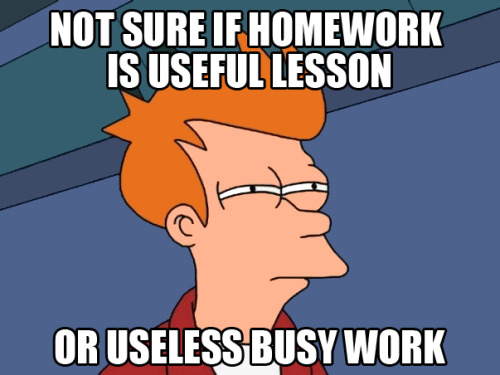
Homework!

I am a homework hypocrite.

I have assigned reading Alfie Kohn on homework's worthlessness for homework. (Occasionally a preservice teacher will even be so bold as to comment on the irony.) I have criticized my children's school for its homework policies.

When we discuss grading I'm on much better ground, since (a) the university requires grades and (b) I'm pretty progressive with summative assessment, using portfolios and standards based grading. Homework... the worst part is that I feel like a hypocrite. In addition, it is by far the most complained about part of the course.

Typically, for a 3 credit class in college, the professor rule of thumb is 6 hours of homework. I assign five. And since I use the workshop structure, I mean 5 exactly. Other assignments count towards the five, so I'm not cheating. No assigning timedrain problems. Students keep track of what they've done in an inventory, where they are also asked to comment on the workshop. So over the years I have weaned out a lot of my more worthless or less engaging assignments. Those that remain are pretty audience specific. I assign open ended problems, readings, web search for video or article, play assignments, get to know the tech assignments and more. Lots of variety. Each week there's a choice workshop they can use to catch up, revise an exemplar, investigate a topic of choice, extend a previous workshop, etc.

So when there's a complaint about the quantity, I feel defensive. Surely other classes ask for more with much less choice? Surely other profs are less flexible on deadlines? (Be caught up by the end of the semester, I ask for the vast majority of assignments.)  Surely there's just too much to learn from these classes to expect them to get it all during class time?

In addition to invited complaining about quantity (I'm always asking for their feedback, plus regular evaluations), students ask that I should give them more deadlines. I should make them do their work. I could, of course, and have in the past. But I want to give opportunities for students to increase their own responsibility (in terms of the conditions of learning). Especially future teachers, who will always have more to do than hours in the day.

Where I want to move with this is to give more responsibility. I will still give my home workshops, but I want to be more transparent with the goals for it. Students are responsible for meeting the goals, and my workshops are one way to do it. But if they can show me they meet these objectives already, or have met them another way... I'll be good with that.  Now to start cooking up just what those objectives are. I'm somewhat ashamed that I've been giving homework without clear objectives in my mind. Each workshop does have a learning target, but that's not the same as why I'm giving homework at all.

I'm finally writing this post since differentiating homework is the theme for Sunday Funday (worst funday ever?) this week. Check out these great posts about homework that are already there.

I'd love feedback by comment or twitter: if you're a K-12 teacher, what would you have wanted to learn about homework while in college? If you're a teacher educator, how do you handle the homework issue?


Monday, February 4, 2013

Spirograph 2 - GeoGebra Animation

Okay, I've played with cycloids before. But when Guillermo recently updated his hypocycloid tutorial, it gave me the push to play again, since I'm always trying to get better at the GGB. Making it helped me understand GeoGebra animation a bit better, so I thought I'd share. I also think the resulting sketch could be the basis of a pretty nice open ended activity.


Obviously, having too much fun.

As good as Guillermo's instructions are, I'm the student who wants to figure it out for himself. One of my easiest teaching mistakes is to assume that my students are like me, and to provide too little support. Although I can overcompensate and then dictate too much, too. To provide student choice is the ticket.

So I started with the circle. I debated about making the controls be the radii for the boundary circle and the rolling circle, but finally decided to make it the boundary radius and a fraction of that for the rolling circle. Originally just a decimal, 0 to 1 incrementing by .05, but eventually I decided to make it a proper fraction, and on the slider control made the increment 1/60. It will show as a decimal approximation, but GGB stores it as the fraction for all practical purposes.

Then the rolling. The usual thing to do animation is to make a slider for time. My first take was to have the slider just go from 0 to 2\(\pi \). (Or 0 to 360 degrees, but I didn't want the units hassle.) Then I increased it to 10\(\pi \), but finally decided that it's neat to choose the number of rotations, so I made a 'circuits' slider for how many revolutions and defined the time slider to go to circuits*2\(\pi \). I use sliders instead of input boxes when possible because the input boxes don't work in HTML5/mobile devices yet.

Now the geometry. Really the rolling circle slides around the boundary at a contact point, rotated by the time slider away from some arbitrary starting point. The rolling you simulate by rotating the sliding contact point around the small circle. But how far does it rotate? My naive first take was that it should be as far as you've slid around the larger circle, thinking about it as a distance, like a string wrapping around. When you've gone angle \(\alpha\) around, you've gone distance \(\alpha\)*radius. Putting that in...
... pretty! But not a trochoid. It took me a few minutes to realize that I wanted the angle to rotate, not the distance. So if the circumference you've traveled is \(\alpha\)*big radius, then that's
$$
\frac{\alpha * \text{big radius}}{ \text{small circumference} }
= \frac{\alpha *a}{2\pi*\text {small radius}}
= \frac{\alpha *a}{2\pi*b*a}= \frac{\alpha}{2\pi*b}$$
So the angle is \(\frac{\alpha}{2\pi*b}*2\pi\) or just my time&angle variable divided by my radius ratio, t/b. I still have to think about what happened with the first try - obviously there's something mathy there.

It didn't look a lot like it was rolling, so I added the spokes to the small wheel by rotating a segment from the center to the rolling point around the small circle center.

Since I added the number of circuits as a variable, it made the speed of the sketch animation change and I couldn't find a value that was good for any number of circuits. But when I added a slider for the speed of the animation, I lost the play/pause button for the time. You can still control it with a right-click context menu, but that's not very user friendly.

So I started digging around the GeoGebra manual for animation controls, and finally found StartAnimation.  In particular, the boolean version,
StartAnimation[ point, slider, ... , boolean]
animates whatever is listed if the boolean is true, and stops it if false. Now I could make a boolean variable for animation (called 'animated' here), and control it with a button.

I'm using SetValue more than variable assignment lately because it avoids some weird issues that come from fixing a variable. ("!" is the text version of \(\not\) ) This also allows me to make the animation of t just a once through instead of repeating, which makes choosing the number of circuits more relevant. Here's the final version of the time slider:

To make the sketch more Spirography, I  took out some of the erasing and timer resetting from the scripts for sliders and buttons, and added in the color controls for the pen. The color values in GeoGebra are between 0 and 1, as opposed to 0 to 255 in some programming.


Activities/Problem ideas:
  • Given a ratio, how many circuits to completely draw the hypotrochoid? How many vertices will it have?
  • How are the hypotrochoids for ratios with common denominators similar and different? Why does that happen?
  • Make an image that is aesthetically appealing to you. Document your process. What did you have to figure out to make it? What math can you see in the final image?
  • What kind of mathematical curve is one side of a hypotrochoid? How do you know? Can you prove it? Why would it be that way?
  • Give students a challenge image, and ask them to duplicate it or investigate the mathematical properties. Or ask them to make a challenge image for another group then swap.
How else might you use a sketch like this?

Here's the sketch at GeoGebraTube or as an applet (works on mobiles).  Hope you have at least 11/60 as much fun as I did with this.

Post Script:
With that work done, it's been easy to add features. I added a mirror point on an outside circle so that the sketch could do epicycloids. Then I dilated the pen points from the center of the rolling circles to get full on trochoid glory. Here's the final sketch on GGBT and mobile app.

Have fun! Send me a cool image!

Thursday, January 31, 2013

Intellectually Needy

Intro
"So does this bore the heck out of you?" a student asked me.

The problem is that this was after two days of doing the Barbie Bungee Jump activity. The fabulous Barbie Bungee Jump. (Cf. Julie and Fawn) I was assisting a very nice and competent substitute teacher.

Coming on the heels of Christopher Danielson's and Chris Lusto's #globalmath session on building intellectual need, it was clear that most of these students did not have it. Nor were they looking for it.

This is a good school with good students and good teachers. What's going on, or not going on? My first brief observations:
  1. Students were given all the steps to follow. Being told to do a, b and c and then doing a, b and c is not engaging.
  2. There was no hook. How much of a hook depends on the lesson. This one could have used the video, a discussion about bungee jumping, etc. Going straight into 'here's what you do' gives no chance for wondering. Even if it's what the students want or are asking for.
  3. There was no expectation that this was worth their time or could be interesting. There is always time to start, but this might also be about developing a culture of inquiry. Students need to learn that this is what math is, and this is what math class is like or could be like.
Recount:
Day 1: Students were given a worksheet with a table, told how to assemble the rubber bands and washers and to collect data for 1 to 6 rubber bands. Then graph all of their data and freehand a line of best fit. This is the beginning of a functions unit that will end with linear functions. Then they were asked to make a prediction for how many rubber bands they would need for the drop. We didn't have the actual heights, so they predicted for 3 m. Mostly, their prediction method was pick a number that was bigger than 6. 20 seemed nice to them, though some went with 18, since 6 rubber bands was close to a meter. Two groups found the average increase per rubber band.


We weren't clear about how to do the drop in the stairwell. We didn't have a set (or maybe even one) tape measure for long distances. Two teachers wound up determining 3 drop spots and measuring the distances, between 3 and 3.5 m.

Day 2: (After a snow day and a PD day.)
The students coming back were not much more enthralled than they were Day 1. I shared how this was the start of a functions unit, the math idea of having a rule to go from input to output. I tried to phrase the question as given the input of how many rubber bands, could they predict how far it would drop. (Not much traction, as there were already instructions on the screen.) The substitute gave each group their drop height. The two groups that had figured out the averages used this to make quite specific predictions, and one group made the complete table that this would generate. At the last second they cut 2 rubberbands off of their total, to allow for the length of the disk and acceleration. They were worried that it would be traveling faster at the bottom and that would make it stretch more. Two other groups adjusted their number a bit, but without reasoning that they could share.

We proceeded to the stairwell and groups took turns making their single drop. 2 hit the floor, including one of the more mathemaical groups, 2 got about 70 cm away, 1 was more than 1 m, and the group that had made the table got to within 10 cm. Went back to the classroom, shared the results and had the winning group describe their efforts while few listened. I talked with the mathy group that hit the floor about what went wrong. Basically they felt math failed them. Double checking their work I saw the problem was that they were computing for the wrong drop height! Their calculation would have put them quite close.

So What?
The students were pretty happy. Better than a typical math class, playing with rubber bands, leaving the classroom. The sub was okay with it, as students were mostly in control and made it through all of the steps. I felt like we missed an opportunity.

So what would you change about the lesson? What would add/create/inspire intellectual need in what is a (potentially) great activity?


Post Script:
Excellent discussion! I just want a few of the shared links to be more visible here. But many people put great thinking below so don't skimp on the comment reading.

Curse You, Nate Silver

OK, not really. I am a big fan of the Silver one, and his application of quantfied reasoning to realms rife with superstition.

But his Super Bowl Analysis got me wondering about the data. He uses a stat called SRS, Simple Ranking System, from pro-football-reference.com. They have a nice linear algebra explanation of it on their blog. Mr. Silver used this stat to consider whether good defense or good offense was more conducive to winning. By looking at the top 20 in each category, he concludes defense is the key. Or more of a key than offense.

Always fabulous and frequently mathy Foxtrot.
I got to wondering about the differences. Maybe what mattered was your offense to opponents defense, or vice versa. I started putting his data into a spreadsheet, but because teams are rarely exceptionally good at both (exceptions 68 Colts, 96 Packers), there wasn't enough data. I was surprised to find that Pro Football Reference is free and an awesome resource for data. So I started filling in a spreadsheet, figured I'd tumblr it and people could fill in the rest if they were interested.

I got hooked, which is why I say, "Curse you, Nate Silver."

Turns out my idea about the differences was only mildy predictive. I took NFC Offense - AFC Defense and compared to AFC Offense - NFC Defense. ("How is that different from NFC Total SRS  - AFC Total SRS?" I would ask students if I had them this semester.) Here's the Google spreadsheet.


There's definitely some things to notice there. My next thoughts were to compare defenses, offenses, and finally to look where those two agree.


Bad news for Baltimore. When a team is favored in defense and offense, they've won about 3/4 of the time. So Raven fans you should be getting 3:1 odds when most people are feeling it's pretty close. Looking at these numbers, you could consider it the 4th or 5th biggest upset should Baltimore win. No 68 Jets or 07 Giants, but significant.

What do you notice about the data?

Sunday, January 20, 2013

Too Puzzling

The content objective: adding and subtracting fractions with unlike denominators, for 5th grade students.

What game? On short notice... I have a couple race games and Mr. Schiller has pattern blocks - but those use the fraction cards which I like, but were also at my office.I was thinking about a game where students start at one, and one team tries to race to 2, while the other team takes away and races to zero.  That would be good for building intuition, and learning to record fraction number sentences, but this is their last day with fraction operations before moving on to something else. What could serve as a review?

I thought about a game you could play with a small number of cards (one sheet), or a game where they would be doing review problems and checking each other as they play. Somehow I was reminded of a tarsia puzzle. (Here's a bunch at tes, among other places. Not sure who tes is, really.) Mostly those are triangular, but I decided on a square pattern, more familiar to the students. Here's what I wound up with. Made the grid in GeoGebra, of course.


A lot of thought went into the puzzle. I repeated a couple values to make it so that a match did not conclusively mean that two pieces went together (harder). I made all of them doable with 24ths (easier).  I decided on a 3x3 vs a 4x4 (easier). I made almost patterns on borders (harder and easier). Made sure some of those were nonmatches (easier). Related problems, like 1/4+1/2 and 3/4-1/2 (easier). Some operations where the common denominator is one of the present denominators, 2/3-1/6. And one mistake. (Crazy harder. Fixed version above.) I tried to put in some common characteristics on adjacent tiles. (Hmmm?) If they've been doing these problems in general, I thought that this would be enough support for everybody, especially working in teams.

To differentiate, then, I was mostly thinking upward. On the original puzzle they could make 3 more squares to make it a 12 piece puzzle. I made one with some triangles blank for the students to work out sums, differences or make up a problem, and then an entirely blank one for them to make up their own Tarsia.

I launched the puzle by showing cut out pieces, telling them it was a puzzle and asking how it might go together. Through whole group discussion they figured out that the sums and differences matched some of the fractions. I compared it to the puzzles that are all squares that divide up pictures, which are pretty tough. After finding a few of the matches together, they formed pairs and came up to pick up their choice of puzzle. Only one group took an option on the partially filled in puzzle.

They did not like it. Found it too hard, or didn't know how to start. Mr. Schiller and I circulated and helped people get started. They found lots of matches, but before our time was up were moving on to other pursuits. Not interested in making their own.

To wrap up, we came back together and did some together to get a firmer idea of how to do it. They confirmed that it was beyond them. When I asked for words of wisdom, one student volunteered: "You might want to try it yourself, first. If it's too easy, add stuff to make it tougher. If it's too hard, make it easier."

Wise words, indeed.

To use this in fifth grade again, I think I might concentrate on first getting a square of four made, and then try to grow it. Mr. Schiller recommended either a fraction equivalence puzzle or a fraction-decimal equivalence puzzle to get it launched. I still love these kinds of puzzles, but fee like I learned something about introducing and using them with younger learners.

Post Script:
Jeff says: The equivalent fraction version of that worked a lot better.  I sort of sneakily encouraged them to also incorporate equivalent decimals too.  In the version we played in the afternoon,  they created their game board in pairs and then they matched up with another team and exchanged puzzles and it became a race to finish the puzzle first.  I sort of mentioned in an offhanded way - oh yeah, and if you wanted to make it a little more challenging for your opponent, you might include some equivalent decimals, too.  (That did the trick)